
In this blog I will be installing Elasticsearch on Linux using Docker Compose. Unlike the previous Docker blog, Docker compose will streamline the setup process by defining and managing multi-container Docker applications, ensuring your Elasticsearch instance is up and running quickly and efficiently.
I am using an Ubuntu 24.04 LTS Virtual Machine within VMware for this demo. To install the necessary docker components I running the following commands, to add the docker GPG key and add the docker repo to my APT source index. The docker commands are pulled from this docker guide.
# Add Docker's official GPG key:
sudo apt-get update
sudo apt-get install ca-certificates curl
sudo install -m 0755 -d /etc/apt/keyrings
sudo curl -fsSL https://download.docker.com/linux/ubuntu/gpg -o /etc/apt/keyrings/docker.asc
sudo chmod a+r /etc/apt/keyrings/docker.asc

# Add the repository to Apt sources (copy this command from within the browser of your VM, copying it from your host will cause errors when you paste it)
echo \
  "deb [arch=$(dpkg --print-architecture) signed-by=/etc/apt/keyrings/docker.asc] https://download.docker.com/linux/ubuntu \
  $(. /etc/os-release && echo "$VERSION_CODENAME") stable" | \
  sudo tee /etc/apt/sources.list.d/docker.list > /dev/null
sudo apt-get update

Once you’ve updated the APT repo list install the following docker components.
sudo apt-get install docker-ce docker-ce-cli containerd.io docker-buildx-plugin docker-compose-pluginCreate and navigate to a new directory to host your elastic instance.
sudo mkdir -p /opt/elastic && cd /opt/elastic 
Following the elastic configuration guide HERE you need to download the all the files from the project github page.
# From your project directory use git to clone the files from the github repo
sudo git clone https://github.com/elkninja/elastic-stack-docker-part-one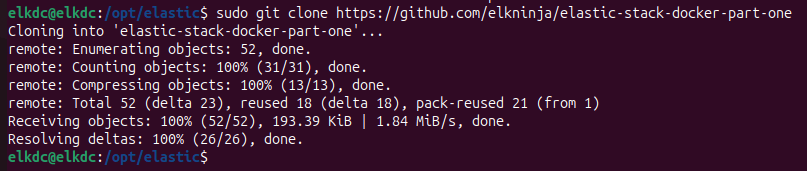

# With a file editor change the following passwords (passwords must be at least 6 characters long).
# ELASTIC_PASSWORD=changeme
# KIBANA_PASSWORD=changeme
sudo vim .env
i (insert)
# Whilst in the .env file you can change the elastic version to the most current version (I left this deployment as standard because it is a known working configuration)
STACK_VERSION=8.17.0
# Change the ES port to only be available to your local host
ES_PORT=127.0.0.1:9200
# save your changes and exit the .env file
escape :wq!
# Bring up your Elastic cluster using docker compose in detached mode
sudo docker compose up -d
# You will see docker begin pulling containers for ElasticSearch, KIbana, Logstash, filebeat, and metricbeat. 
# To check the status of your containers
sudo docker ps -a
# Browse to you Kibana instance at http://localhost:5601
# log in with username:elastic password:{as set in your .env file}

# Once logged in, navigate to Observability --> overview --> Log Events and you'll see logs coming in from the filebeat and metricbeat agent from your host VM.
# When you are finished you can collapse the deployed using docker compose.

sudo docker compose down -v (-v removes all volumes)